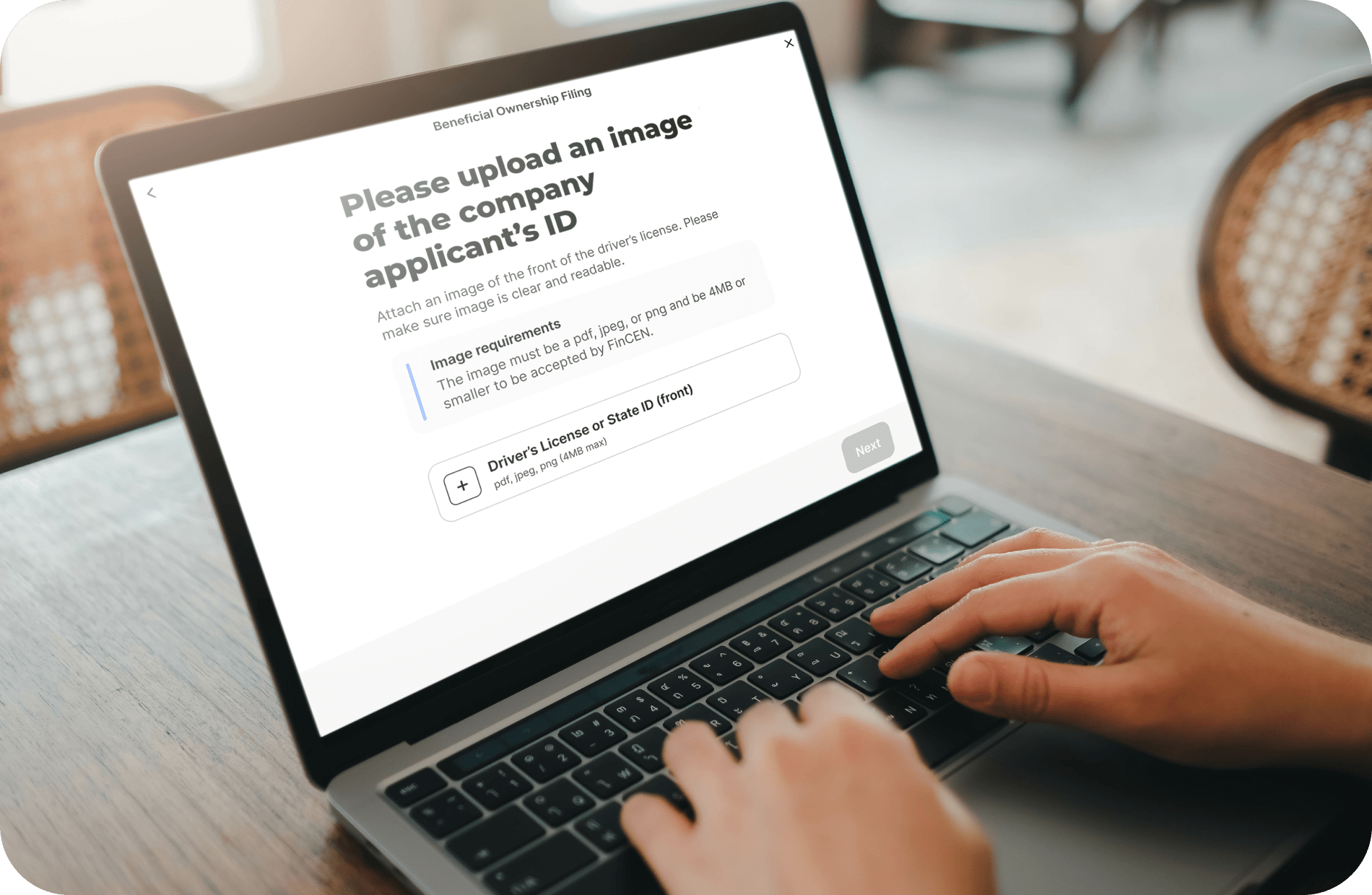
FinCEN's BOI Filing Deadline: 01/01/2025 - Gardner, KS Businesses Must File Now to Avoid Fines!


The Corporate Transparency Act (CTA) requires businesses to report Beneficial Ownership Information (BOI) to FinCEN to promote transparency and prevent financial crimes.

As of today, November 27, 2024, Gardner, Kansas, business owners have 35 calendar days (or 25 business days) left to file their BOI report with FinCEN—act now to avoid $500 per day fines!


What You Need to Do:

1. Determine if Your Business Must File.

Most LLCs, corporations, and small businesses qualify as "reporting companies." Exemptions apply to publicly traded companies and certain regulated entities.

2. Identify Your Beneficial Owners.

Beneficial owners are individuals with substantial control or 25% or more ownership of your business. For example, the owner of a Gardner-based pet grooming shop with a 30% stake qualifies as a beneficial owner.

3. Gather the Required Information.

Prepare:

  • Business name, address, and EIN.

  • Beneficial owners’ names, addresses, DOBs, and ID details.

4. File Your BOI Report.

Deadlines:

  • Existing businesses: File by 01/01/2025.

  • New companies (2024): File within 90 days of formation.

  • New companies (2025+): File within 30 days of formation.

ZenBusiness can assist with filing to ensure accuracy and compliance.


Key BOI Filing Details:

Who Needs to File?

"Reporting companies" include most LLCs, corporations, and small businesses in Gardner. Exemptions apply to publicly traded and regulated entities. For example, a Gardner-based bakery would likely need to file, while a large corporate chain would not.

What Is a Beneficial Owner?

A beneficial owner is someone who:

  1. Holds substantial control over the company, OR

  2. Owns 25% or more of it.

For example, a co-owner of a Gardner-based home cleaning service with a 40% stake qualifies as a beneficial owner.

What Information Is Needed?

You’ll need:

  • Business name, address, EIN.

  • Owners’ names, addresses, DOBs, and identification documents.

How and When to File:

BOI reports must be submitted electronically with FinCEN. Deadlines:

  • Existing companies: File by 01/01/2025.

  • 2024 startups: File within 90 days of formation.

  • 2025+ startups: File within 30 days of formation.

Click here to let ZenBusiness simplify your reporting process.

Penalties for Non-Compliance:

Failure to file can result in fines of $500 per day, up to $10,000, and potential criminal penalties. FinCEN offers a 90-day safe harbor to correct errors without penalties.


Additional Resources:

Contact Information
phone: (844) 493-6249
Thriving Through Rapid Expansion: Strategies for Small Business Owners

When a small business experiences sudden, rapid growth, the excitement can quickly turn to overwhelm without proper planning. Managing this unexpected boom requires thoughtful strategies to maintain stability and keep operations running smoothly. From scaling operations to adjusting workflows, business owners must remain agile to ensure long-term success amid the surge in demand. The right approach can transform a growth spurt into a sustainable future.

Build a Robust Customer Support System

When your business starts growing quickly, having a strong customer support system is essential. Start by integrating an advanced CRM system that tracks customer interactions and unifies your sales and support platforms. This ensures seamless communication and a better customer experience. Leveraging AI-powered support tools can also help by automating repetitive tasks and providing quick, data-driven solutions to customer issues. Additionally, building comprehensive knowledge bases and self-service tools empowers customers to resolve minor issues independently, reducing the load on your support staff. 

Plan for Profit Reinvestment Wisely

To achieve sustained growth, develop a well-thought-out plan to reinvest your company’s profits back into the business. Allocate a percentage of earnings to crucial areas such as expanding operational capacity, entering new markets, or investing in research and development. Effective profit reinvestment requires a deep understanding of your business needs and market conditions. By prioritizing sustainable growth over quick gains, you enhance the company’s future profitability and underline its commitment to innovation and excellence.

Reevaluate Your Business Structure for Flexibility

When experiencing rapid growth, it’s essential to reevaluate your business structure. Forming a Limited Liability Company (LLC) offers several benefits, including personal asset protection, tax advantages, reduced paperwork, and operational flexibility. By incorporating as an LLC, you can separate your personal assets from business liabilities and potentially save on taxes through advantageous pass-through taxation. You can avoid hefty lawyer fees by filing the necessary documents yourself or using a formation service like Zenbusiness.com. However, each state has its own regulations and fees for LLC formation, so review your state’s specific requirements before proceeding.

Nurture a Positive Company Culture

Maintaining a positive corporate culture is crucial during rapid expansion. Focus on open communication, celebrating work traditions, and ensuring transparent processes to boost employee morale. High morale leads to increased productivity and reduced absenteeism, enhancing overall organizational performance. Integrating wellness initiatives and prioritizing employee mental health can help your team navigate periods of rapid change more effectively. By retaining a clear mission and supporting your team’s well-being, you ensure that your corporate culture thrives during growth spurts.

Amplify Marketing with Automation

Leveraging automated marketing tools can significantly enhance your outreach and customer engagement without overburdening your staff. These tools enable you to efficiently target and interact with large audiences across various channels, saving valuable time. Companies using these tools often see significant boosts in conversion rates, making them invaluable during periods of rapid growth. Automated outreach campaigns can also double your lead generation and boost conversion rates, allowing your business to maintain engagement without overwhelming your team.

Offer Customer Loyalty Programs

Creating personalized loyalty programs can be a powerful way to reward repeat customers while fostering stronger connections. By offering tailored rewards based on buying habits or preferences, businesses can make customers feel appreciated and encourage long-term loyalty. Special perks like exclusive discounts, early product access, or VIP treatment help keep loyal customers engaged, even as the business grows rapidly. These initiatives not only boost customer retention but also promote positive word-of-mouth, contributing to sustained success.

Streamline Operations with Supply Chain Audits

Conducting regular supply chain audits is crucial for managing swift and substantial growth effectively. These audits evaluate every stage of your supply chain to pinpoint weaknesses and areas needing enhancement. By identifying bottlenecks and inefficiencies, businesses can implement targeted solutions to streamline operations and enhance the flow of goods. Sharing audit results with stakeholders ensures collective awareness and support for necessary improvements, helping sustain a competitive edge in today’s dynamic environment.


As you navigate the exhilarating path of rapid growth, remember that while the challenges may be great, the opportunities are even greater. Embrace these strategies not merely as survival tactics but as transformational tools that position your business for long-term prosperity. With the right approach, the surge in demand doesn’t just become manageable—it becomes a powerful catalyst for sustainable success. Let the growth spur a reinvention of your business, where every decision you make drives future innovation and excellence.

Unlock new opportunities for your business by connecting with the Gardner Chamber of Commerce - KS today!
Contact Information
phone: (844) 493-6249
A Practical Emergency Planning Guide for Small Business Owners

Emergency planning isn’t just about surviving natural disasters or recovering from a break-in. For small business owners, it’s a lifeline that can mean the difference between recovery and ruin. In the whirlwind of daily operations, contingency planning often gets pushed aside, but there’s no luxury in waiting. The goal isn’t fear—it’s foresight. With the right approach, even lean teams can put smart, nimble strategies in place to safeguard their future when the unexpected hits.

Prioritize What Can Break You First

Every business has a few linchpins—those critical operations, systems, or relationships that, if disrupted, could bring everything else to a halt. Before drafting detailed emergency plans, it's crucial to identify these pressure points. Whether it's a supplier relationship, a software platform, or access to a physical location, these must be mapped and understood. Planning to protect or quickly restore these functions ensures the core of the business stays standing when storms roll through—literally or figuratively.

Create a Communications Backup Plan

When an emergency strikes, silence becomes its own kind of chaos. Customers get anxious, staff become disoriented, and misinformation spreads fast. Establishing a clear communications protocol ensures that everyone knows who to contact, how, and when. Backup systems like group messaging apps or cloud-based shared drives can fill the gap if phone lines go down or emails stall out. The point is not just to stay in touch but to maintain calm through clarity, even if all anyone can say is “we’re working on it.”

Safeguard the Paper Trail Before It Vanishes

When chaos hits, paper gets lost—burned, soaked, shredded, or simply left behind. Scanning and digitizing vital records like contracts, licenses, insurance details, and employee files turns them into accessible assets, no matter what happens physically. Storing these documents in a secure, cloud-based location ensures continuity even when the office can’t be reached. For quick backups, take a look at this mobile scanning app that lets you capture anything with your phone’s camera and convert it instantly into a ready-to-use PDF.

Build a Culture That Knows the Drill

Emergency plans don’t work if they live in a binder no one opens. Staff must be familiar with them, not just in theory but in practice. Regular training, short drills, or even casual walkthroughs can help teams feel confident rather than caught off guard. Involving employees in planning—especially those on the front lines—also surfaces blind spots that might otherwise get missed. This isn’t about turning every workday into a fire drill, but rather making readiness part of the culture without scaring anyone out of their chair.

Find Out What the Neighbors Know

Emergency planning doesn’t have to be a solo sport. Local partnerships, industry associations, and even competitors can be surprisingly helpful sources of information and resources. Sharing notes with other business owners, joining city-wide emergency networks, or subscribing to municipal alerts can broaden the safety net. Knowing who to call beyond 911 can speed up recovery—and sometimes prevent disaster entirely. When your building floods or there’s a power outage down the block, there’s real strength in a well-connected community.

Don’t Bet the Farm on Insurance Alone

Many business owners assume that insurance will rescue them if things go sideways, but this is where assumptions become dangerous. Policies vary widely, and small print matters. Take the time to review coverage specifics: business interruption, equipment loss, liability during emergencies—these aren’t givens. Consulting with a broker or even a legal advisor can reveal holes in what seemed like a solid plan. Insurance is a piece of the puzzle, not the whole picture, and understanding its limits is part of smart planning.

Run a Scenario, Then Tear It Apart

Once a basic plan is in place, it helps to stress-test it like a skeptic. Imagine a power outage in the middle of a peak sales day. What breaks first? How long until customers notice? Who steps in? This kind of mental dress rehearsal reveals weaknesses that look fine on paper but would buckle under pressure. Better to find those faults in advance, with time to fix them, than to learn the hard way in real time. It's a simple exercise that forces clarity—exactly what an emergency requires.

Emergency planning isn't about predicting every possible disaster or living in a bunker mentality. It’s about moving from reactive panic to confident action. The process isn't flashy and might not feel urgent—until it is. For small businesses especially, resilience isn’t built with grand gestures, but through grounded steps taken ahead of time. The best emergency plan is one you hope to never use—but one you’re ready to activate, calmly and completely, if the lights ever go out.


Discover the vibrant community of Gardner with the Gardner Chamber of Commerce and unlock opportunities to grow your business, connect with local leaders, and enjoy exclusive member benefits!
Best Practices for Intellectual Property Security in the Online Economy

You’ve just launched a new product or service, and your team is preparing to scale. Amid the excitement, one challenge looms: protecting your intellectual property (IP) in a fast-moving, digital-first world. From brand assets to trade secrets, your IP is what differentiates your business — and if left exposed, it can be misused or diluted by competitors.

Below, we explore actionable strategies to secure your business’s IP online, with practical tools and safeguards you can apply today.


1. Understand the Forms of Intellectual Property

Before choosing protection strategies, it’s important to know the main categories of IP that businesses often encounter:

  • Trademarks: Safeguard brand names, logos, and slogans (e.g., USPTO guidance is a useful starting point).
     

  • Copyrights: Protect original works such as written content, graphics, or videos.
     

  • Patents: Cover inventions and processes, ensuring exclusivity in how they’re used.
     

  • Trade Secrets: Guard information not publicly known (like recipes, algorithms, or supplier lists).

Each requires different measures to secure, and in many cases, businesses rely on multiple layers of protection simultaneously.


2. Digital Security Practices for IP

Safeguarding IP isn’t just about legal filings. It requires practical measures to limit unauthorized use:

  • Access Controls: Limit sensitive file access to relevant team members only.
     

  • Encryption: Use end-to-end encryption when transferring sensitive documents.
     

  • Monitoring Tools: Platforms like BrandShield help detect counterfeit use or phishing tied to your brand.
     

  • Domain & Social Protection: Register key variations of your domain and handle names across platforms to block impersonation.

These measures reduce both deliberate theft and accidental leaks.


3. Why Contracts Still Matter in a Digital Age

While technology is critical, legal agreements remain a cornerstone of IP protection. One of the most effective is a non-disclosure agreement. Understanding NDA meaning can help you recognize why it matters: NDAs legally bind employees, contractors, or partners from sharing confidential information during and sometimes after their relationship with your company. With modern tools, NDAs can also be e-signed, making them faster to execute while still carrying legal weight.


4. Trademark and Brand Protection Online

Your brand identity is one of the easiest IP assets for competitors or bad actors to misuse digitally. Safeguards include:

  • Registering trademarks early (check availability using the WIPO Global Brand Database).
     

  • Monitoring online marketplaces for infringing products.
     

  • Using takedown requests through platforms like Amazon or Etsy.
     

  • Registering social handles across networks to prevent impersonation.

Highlight: Tools like Namechk allow businesses to check username availability across dozens of platforms at once — a simple but powerful step to keep control of your brand footprint.


Comparison of IP Protection Methods
 

Method

Strengths

Limitations

Trademarks

Strong brand protection; prevents others from using similar marks

Costly to register in multiple countries

Copyrights

Easy to register; covers creative work like blogs, videos, and designs

Doesn’t cover ideas, only fixed expressions

Patents

Protects innovation; blocks others from creating or selling the same invention

Complex, expensive, and time-consuming

Trade Secrets

Flexible, cost-effective if well-guarded

Hard to enforce if information is leaked or independently discovered

Contracts (NDAs, etc.)

Legally binding; covers sensitive relationships

Enforcement depends on jurisdiction and legal follow-through


6. Ongoing Monitoring & Enforcement

Securing IP is not a one-time task. Businesses must track usage continuously to ensure compliance. Consider:

  • Automated monitoring: Red Points offers real-time tracking of counterfeit goods.
     

  • Custom alerts: Use Google Alerts to detect when your brand or product names are mentioned online.
     

  • Local business chambers: Many chambers provide workshops and resources on IP protection (example from ICC).
     

  • Marketplace enforcement: Filing IP infringement claims with online platforms as needed.

By combining automation with community partnerships, businesses can scale enforcement without draining internal resources.


7. FAQ: Intellectual Property in Digital Environments

Do small businesses really need to register trademarks?
Yes. Even small businesses benefit from registering trademarks early to prevent competitors from exploiting their name or logo.

What’s the role of employee training in IP protection?
Employees are often the first line of defense. Clear onboarding about IP policies, supported by internal guides, reduces risks of unintentional leaks.

How do I protect international IP if I sell online globally?
Consider international treaties such as the Madrid Protocol, which streamlines trademark registration in multiple countries.

Is relying only on NDAs enough?
No. NDAs are important but must be paired with technological safeguards, regular audits, and clear access controls.

Can digital platforms help enforce IP rights?
Absolutely. Many marketplaces like Shopify provide formal IP takedown request processes for sellers facing infringement.


Conclusion

Protecting your intellectual property online requires a layered approach: legal safeguards like NDAs and trademarks, paired with technical measures like encryption, monitoring, and employee training. By combining contracts, digital vigilance, and proactive brand defense, your business can keep its competitive edge intact in a digital-first environment.


Discover the vibrant community of Gardner with the Gardner Chamber of Commerce and unlock opportunities to grow your business, connect with leaders, and make Gardner a better place to live, work, and play!
Contact Information
Building Better Together: How Small Businesses Can Create Partnerships That Actually Work

For small business owners across Gardner, Kansas, collaboration can be a powerful growth multiplier. Whether you’re a local bakery teaming up with a coffee shop or a home contractor partnering with a designer, strategic partnerships can stretch reach, cut costs, and spark innovation. But partnership success isn’t about shaking hands—it’s about alignment, structure, and communication.

TL;DR

Effective collaboration between small business owners depends on shared values, transparent communication, and documented agreements. Plan your partnership like a business, not a friendship.

How-To: Partnership Foundations

Use this quick list before entering any collaboration:

Step

What to Do

Why It Matters

1

Define mutual goals

Keeps both parties focused and accountable

2

Clarify financial expectations

Prevents tension over profit or cost splits

3

Document roles & deliverables

Avoids confusion down the line

4

Schedule regular check-ins

Ensures ongoing alignment and adaptability

5

Establish an exit plan

Protects relationships if circumstances change

FAQ: Small Business Partnerships

Q1: How do I find the right business partner?
Look for complementary strengths—if you’re great at production, find someone strong in marketing or logistics. Use local directories like Kansas Department of Commerce Business Portal or your Gardner Chamber of Commerce member listings.

Q2: Should we form a legal entity together?
Not always. Sometimes a joint venture agreement or memorandum of understanding is enough. Consult resources like Nolo’s Partnership Agreements Guide before deciding.

Q3: How do we handle disagreements?
Create a conflict resolution clause early. It’s far easier to agree on how to disagree before emotions rise. You can also use mediation templates from LegalZoom’s business section.

Key Collaboration Moves

  • Start small before going big. Test the partnership with one joint project.
     

  • Balance trust with verification—use project management tools like ClickUp or Basecamp to track accountability.
     

  • Build visibility for both sides by cross-promoting through local press release tools such as CISION.
     

  • Use shared resources like QuickBooks Online to manage expenses transparently.
     

The Contract Connection: Clarity Builds Trust

Even the most promising partnerships can stumble over unclear agreements. A well-crafted contract sets expectations, responsibilities, and boundaries—before the first dollar changes hands. Modern tools simplify the process; digital signing platforms reduce friction and improve professionalism. For a closer look at avoiding challenges in electronic contract signing, see this free resource. Documenting your collaboration upfront builds mutual confidence and keeps your business relationships resilient.

Product Spotlight: HubSpot CRM

Managing communications, leads, and shared clients can quickly become chaotic. HubSpot CRM offers a free, easy-to-use system that helps partners stay aligned on sales pipelines and contact records. It’s a simple way to track shared opportunities without messy spreadsheets.

Collaborative business partnerships thrive on clarity, fairness, and shared progress. Gardner’s small business community already has the heart—adding structure simply gives that heart a strong backbone. When every agreement, meeting, and shared goal is documented, partnerships stop being risky—and start being remarkable.
Contact Information
Don’t Just Get Seen — Get Remembered

Attention isn’t bought—it’s earned one glance at a time. From packaging to landing pages, Instagram ads to storefronts, every visual cue you deliver is fighting for survival in a sea of stimulus. The challenge isn’t just to be seen. It’s to matter. So how do you attract customers when everyone is already shouting, blinking, sliding, and spinning? You out-feel them. You build frictionless emotion into design. You stop chasing clarity and start delivering resonance.

Hooking Attention Amid Noise

People don’t remember “best”—they remember felt. After the first impression, what determines whether someone stays or skips often boils down to how your imagery lands emotionally. That’s why brands are now working hard to use visuals to evoke emotion, aiming for connection over composition. A static product shot? Empty. A compelling micro-moment that implies a narrative? Powerful. A half-second of gut-punch resonance outperforms any bullet list of features. Make it cinematic. Make it curious. Just make them feel something.

Define Your Value & Positioning

Too many businesses talk at people instead of for them. The moment someone hits your ad, your site, or your booth, they’re asking, “Why should I care?” Leading with benefits is fine, but leading with stakes is better. That’s where an emotional value proposition resonates more deeply than a generic pitch. It captures tension and names the frustration the customer hasn’t verbalized. The more personal your proposition feels, the faster people stop scrolling. Sell the problem back to them better than anyone else, and they’ll assume your solution is better, too.

Activate Generative Creativity

Most brands stay stuck in creative bottlenecks because they still think making good content has to be expensive, manual, and expert-led. But with the right tools, it doesn’t. More marketers explore this—the world of generative AI—which opens up low-friction content creation without sacrificing originality. Unlike traditional AI, which classifies or filters, generative AI produces. That difference matters. It turns static workflows into dynamic idea engines. You’re not outsourcing creativity—you’re accelerating it.

Use Distinctive Design

Every font, icon, margin, and motion carries subtext. It’s not about looking nice—it’s about revealing intent. Customers instinctively assess whether they trust you before they understand what you sell, and that trust often stems from subtle design signals. One reason trust grows from well‑crafted design is because design decisions suggest care, clarity, and control. A design that holds still while others flicker builds calm authority. A layout that breathes signals confidence. It’s not polish; it’s presence. Visual discipline converts doubt into ease before a single sentence is read.

Build Visual Brand Identity

Brand identity should hum in every pixel. But if your visual assets feel interchangeable, they are. To generate real recognition, you need design patterns that are unique enough to become iconic—and consistent enough to become familiar. One of the most overlooked strategic levers is visual brand language that guides recognition at a subliminal level, anchoring your message even when words are absent. Repetition isn’t redundant when it builds fluency. The more fluent your visual cues, the less friction there is between exposure and recall. Identity is not art—it’s architecture.

Embrace Multi‑Sensory Emotion

Great brands don’t just look good—they feel right. It’s the warm hum of a loading sound, the subtle texture in a print piece, the pace of a product tour. You’re not just designing visuals—you’re designing an atmosphere. Tactile, sonic, and temporal cues reinforce memory far better than visuals alone. That’s why multi‑sensory branding deepens emotional bond, turning brands into experiences. You don’t need AR to be immersive. Even a color that feels like nostalgia or a transition that feels like breath can make someone want to stay.

Stand Out Through Memorability

Flash is cheap. Memory is expensive. And most brands are spending everything on the wrong one. If people can’t remember you tomorrow, you didn’t win today. But memorability comes from rhythm, not just remarkability. A well-told brand story, repeated with variation but without dilution, sticks. Case in point: slow, memorable storytelling builds loyalty, because it honors the audience’s attention span and cadence. The goal isn’t constant novelty—it’s recognizability under stress. If they can recall your voice when they’re not looking for it, you’ve already won.

You’re not trying to win search results. You’re trying to win seconds. The two aren’t the same. Customers make their decisions fast, and they make them from the gut first. What sticks is what they feel. That’s why smart visual strategy isn’t just a wrapper—it’s the message. The good news? Emotion scales. Design can signal care. Color can stir belief. And every surface you touch can either numb or nourish attention. If you build from sensation, you build for staying power.
 

Discover the community of Gardner and unlock opportunities for growth by visiting the Gardner Chamber of Commerce today!
Contact Information
Pixel Persuasion: How AI Can Help You Craft Magnetic Promo Images Without a Design Degree

In the age of visual-first marketing, promotional images are more than just a garnish—they're the hook, the handshake, and often, the whole pitch. As someone who's spent way too many hours elbow-deep in design software trying to make something halfway decent, I'll be honest: AI is the creative partner I didn't know I needed. It's not about replacing good designers (those folks still earn every penny), but if you're running a lean operation, AI is like hiring a team of tireless interns with surprisingly good taste. The key is knowing how to use it without making your brand look like it was cobbled together by robots in a hurry.

Start With a Clear Vision—But Stay Open to Surprise

Before you even open an AI tool, it helps to know what story you're trying to tell. Are you launching a new product? Announcing an event? Tempting people into your pop-up shop? A clear message helps guide your prompts and styling, but here's the magic: AI thrives on curveballs. Toss in a few unexpected details—like describing your product as something “born in a thunderstorm” or “wrapped in velvet rebellion”—and watch what it spits out. You’re not just feeding a machine; you’re dancing with one, and the rhythm gets interesting when you loosen your grip.

Use AI Tools as a Sketchpad, Not a Final Draft

The rookie mistake is assuming the first image an AI tool gives you is the one to slap on your flyer. Don’t do that. Instead, treat it like a rough draft—something to mold, crop, and tweak. Tools like Midjourney, DALL·E, or Canva’s Magic Media aren’t here to replace your taste, they’re here to accelerate it. You still have to play creative director, curating what works and nudging things toward your vision. That moment when you realize you're refining, not just generating? That’s when the real art begins.

Leverage Style Consistency for Brand Cohesion

One of the trickiest parts of DIY branding is keeping everything consistent. Your Instagram posts look like they came from three different people with wildly different vibes. AI can help you lock in a visual style—whether that’s minimalist monochrome, surreal neon, or retro grainy chic—and replicate it across all your promotional images. Use descriptors in your prompts that reflect this visual DNA, and once you land on something that clicks, save it. You can reference it for future prompts and create a consistent image library that actually looks like it belongs to one brand.

Secure Your Visuals With a Smarter File Format

Once you’ve nailed your promotional design, saving it as a PDF isn’t just a formatting choice—it’s a power move. PDFs preserve your image quality, lock in your layout, and add a layer of polish that screams “professional,” whether you're emailing a print shop or sending a pitch to a partner. They’re harder to accidentally alter, which means your visuals arrive exactly how you intended, no weird cropping or font swaps in transit. If your design starts as a regular image file, tools for converting JPG images to PDF make it easy to turn your eye-catching artwork into a secure, print-ready asset in seconds.

A/B Test Like a Mad Scientist

The beauty of AI is that it doesn’t get tired. You can generate five, ten, twenty versions of a promo image with subtle variations—color shifts, layout flips, font swaps. Then you run them side-by-side and watch the engagement metrics roll in. Treat it like a lab experiment. Which version got more clicks? Which one made people linger? Over time, you’ll start to see patterns, and your instincts will sharpen. AI gives you quantity fast, which frees you up to focus on the quality buried within.

Use Your Own Photos as AI Training Material

This is where things get interesting. Some AI platforms now let you upload your own images and use them to train or guide the output. So instead of relying solely on random generations, you can create stylized versions of your actual product shots, event photos, or storefronts. This keeps things grounded in your real-world visuals but elevates them into something more polished or imaginative. It’s like putting your business through a filter made of dreams and lighting gels. Just don’t overdo the gloss—your audience still wants to see the real you, just maybe with a little extra sparkle.

Every brand has a visual voice, even if it doesn’t know how to speak it yet. What AI does—when used well—is help you find that voice faster. It won’t replace taste, and it won’t save you from bad ideas, but it will give you the tools to experiment without burning cash or time. And in a world where attention is currency, being able to whip up an eye-catching promo image before your coffee even cools? That’s not just smart—it’s survival.


Discover how the Gardner Chamber of Commerce can be your catalyst for business growth and community engagement—explore local opportunities and connect with leaders today!
Practical Creative DIY Tips for Business Owners with No Time to Spare

Running a small business often feels like trying to juggle with one hand while typing with the other. There's inventory to track, customers to respond to, maybe even a staff meeting you’re already late for—and then someone reminds you the menu still looks like it was made in 1998. Graphic design? It slips to the bottom of the list every time. But here's the truth: your visuals speak for you, whether you're ready or not. The good news is, you don’t need to be a designer—or have hours to burn—to start making things look better fast.

Think Like a Communicator, Not an Artist
Forget chasing the perfect font pairing or spending hours comparing color swatches. If you're low on time, what matters most is clarity. The first question to ask yourself isn't, "Is this pretty?"—it's "Will people get this in three seconds or less?" Whether it’s a flyer, a product label, or a social media post, your message should jump off the page and hit the reader in the gut (in a good way). Center your text, add space around it, and make sure one main point takes the lead visually—treat every design like a billboard on the highway, because that’s about how long you’ve got to make an impression.

Keep It Simple: Font Pairing Without the Headache
You don’t need to be a typeface connoisseur to make good font choices, and you certainly don’t need to spend a fortune chasing premium downloads. The truth is, most clean, legible fonts pair well when you stick to one for headlines and another for body text—ideally something with contrast but not conflict. If you’re unsure what fonts you’re seeing and want to recreate a similar look, there are quick and easy ways to find font matches using free tools online. These user-friendly font identifiers cut down on trial-and-error and help you achieve a polished, professional design vibe without wasting time or money.

White Space Is Your Secret Weapon
A cluttered design is like a crowded store aisle—people rush through it just to get out. White space isn’t wasted space. It’s breathing room. It draws the eye exactly where you want it to go, makes text easier to read, and adds a layer of polish that most people can’t even articulate. A common mistake is trying to fill every inch of a design with something—text, logos, backgrounds, stars, swirls. Fight that urge. Instead, aim to remove one extra thing from every design you create. Less truly is more, especially when you're short on time and need your work to do the talking.

Use Real Photos Whenever You Can
There’s a temptation to lean on generic visuals, especially when you’re moving fast. But stock images—even the free ones—often carry the whiff of “this could be anyone.” You want people to feel like they’re dealing with you. Take pictures with your phone. Capture your workspace, your products, your process. Authenticity beats perfection, every time. People don’t need cinematic lighting to trust you—they need to see that you’re real, present, and invested. Even a slightly imperfect photo taken by you is more compelling than a flawless but soulless stock image.

Design for the Scroll, Not the Wall
Most people will never print your flyer or blow up your social post on a projector screen. They’ll see it on their phone, in between two texts and a cat video. So design for that context. Big text, bold colors, minimal distractions. Avoid fine print or intricate details that only work when zoomed in. Make sure your logo or handle is legible at a glance, and don’t be afraid to exaggerate the focal point a little—it’s not cheating, it’s adapting. If your design wouldn’t make you pause mid-scroll, it’s probably not ready yet.

Create a Folder of Plug-and-Play Assets
Nothing slows you down more than hunting for the same things over and over. Your logo. Your brand colors. That headshot from last year you actually don’t hate. Set up a folder—or better yet, a cloud folder—that holds all your design ingredients in one place. Bonus points if you include a few templates you’ve made or liked. When you're juggling ten tasks and need a post in five minutes, having this little design pantry saves you from starting from scratch. Think of it like mise en place, but for your brand.

Embrace the "Good Enough" Philosophy
Perfection is a luxury small business owners don’t have. And here’s the dirty little secret: most people won’t notice the tiny things you’re sweating over. Did the font change slightly between posts? Was the green a bit off this time? No one cares. What they do notice is when you stop showing up entirely. Done is always better than perfect, especially in the fast-moving world of small business marketing. Let go of the fantasy that each design needs to be a masterpiece—it just needs to get the job done without looking sloppy or confusing.


Graphic design can feel intimidating, especially when you're already stretched thin and have no desire to become a part-time Photoshop guru. But with the right mindset and a few smart systems, it's completely possible to make design a seamless part of your day. You’re not trying to win awards—you’re trying to build trust, communicate clearly, and show up consistently. That’s where the magic happens. Do a little each day, keep it simple, and let your brand’s personality shine through the cracks. Because in the end, it’s not about perfect pixels—it’s about connection.

Discover the vibrant community of Gardner with the Gardner Chamber of Commerce and unlock opportunities to grow your business and enjoy a thriving lifestyle!
Stretching the Spotlight: Promoting Events on a Shoestring Budget

When a small business owner commits to hosting an event, the payoff can be a game-changer—an opportunity to turn heads, foster loyalty, and move the needle. But getting people in the door without draining the budget demands more than a few flyers and crossed fingers. In a world where digital noise drowns out even the most compelling invitations, the challenge isn’t just being heard, but being remembered. That’s where creativity, community, and a healthy disregard for traditional rules come into play.

Go Where the Eyes Already Are

Instead of creating a new audience from scratch, tap into where attention already lives. That could mean collaborating with local influencers who already have trust and reach in the neighborhood, or joining forces with community organizations that speak directly to the people who might attend. These partnerships often cost far less than traditional ads and carry the added bonus of social proof. People show up not just because of what’s being offered, but because someone they trust said it’s worth their time.

Let Algorithms Handle the Art

There’s no need to hire a designer when AI can turn ideas into visuals in seconds. Using AI-generated images lets you craft eye-catching content tailored to your event’s vibe—whether it’s a flyer for the local café, a banner for your website, or a carousel for Instagram. With the right prompts, these tools can deliver original, high-impact visuals that look professionally made and feel uniquely yours. If you’re new to it, this is a great resource to explore text-to-image generators that can streamline how you create and distribute your announcements both online and in print.

Leverage the Power of Word-of-Mouth 2.0

Good old-fashioned buzz is still king—but now it travels through DMs, group chats, and niche online communities. Make it easy for fans and friends to share the event by giving them a reason to brag about it. Maybe it’s a quirky RSVP challenge, a clever hashtag that encourages storytelling, or a special reward for those who bring a guest. If people feel like insiders, they’ll want to spread the word without ever being asked to.

Turn Your Event Into Its Own Teaser

Why wait until the doors open to start telling the story? Let the planning process become part of the promotion. Behind-the-scenes photos, sneak-peeks of featured guests or products, and casual live streams can all build momentum without requiring an extra dollar. Each step toward the event becomes a breadcrumb trail leading curious followers to the finale—and each piece of content deepens the sense of investment for those watching.

Lean Into Local Press and Community Boards

Even in the digital age, local media and community outlets still matter, especially for in-person events. Reach out directly to journalists or editors at neighborhood publications with a concise pitch that makes it clear why their readers will care. Offer visuals, angles, or quotes they can run with easily—doing their job for them makes it harder to ignore your email. Meanwhile, local libraries, co-ops, coffee shops, and churches often maintain bulletin boards that are just begging for a compelling flyer.

Let Scarcity Do the Selling

Instead of promising the biggest blowout of the season, lean into what makes the event rare or intimate. Use phrases that imply limited access, exclusive offerings, or one-time-only opportunities. This strategy taps into a primal fear of missing out, which doesn’t require a massive budget to trigger. If your event feels special—and not just another date on the calendar—people will feel more urgency to act now rather than later.

Don’t Forget to Invite the Neighbors

Sometimes the most powerful promotion starts right on your own block. Knock on doors, slide invitations under windshields, or offer local-only discounts to residents and businesses within walking distance. This isn’t about sales—it’s about relationships. Showing that the event is rooted in and for the community turns attendees into advocates, and makes future promotions easier by building a real-world network of support, face by face.

Every line of a promotion strategy written on a tight budget has to work harder, but that pressure can lead to sharper ideas and stronger results. By trusting in people over platforms, and creativity over cost, small business owners can turn even the simplest event into a landmark occasion. The key is remembering that attention isn’t bought—it’s earned, one bold decision at a time.


Discover the vibrant community of Gardner with the Gardner Chamber of Commerce and unlock opportunities to grow your business, connect with leaders, and enjoy a thriving local lifestyle!
Open Art Studio
Create with Us from 2-3 pm every 2nd Wednesday at the Senior Center: $18
Connect with Community
through the arts
Materials Provided
 
Contact Information
Offer Valid: March 11, 2026December 9, 2026
Gardner Chamber of Commerce